Treo › Blog › HTX API key guide
How to create a HTX API key safely
An API key lets software trade on your HTX account without your password. Set up the right way, it can trade but can never withdraw. This takes about five minutes.
Before you start
You need an HTX account with identity verification completed and 2FA switched on. No account yet? Sign up on htx.com first.
The steps in pictures
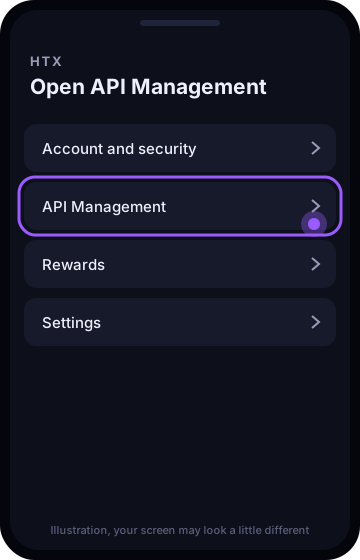
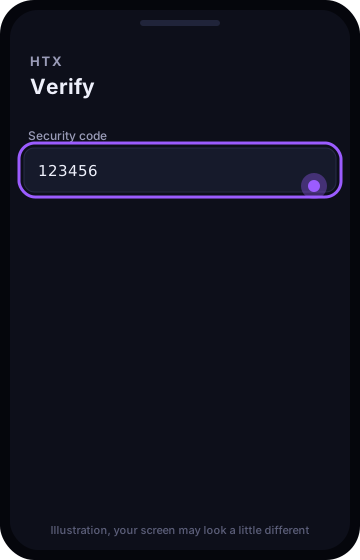
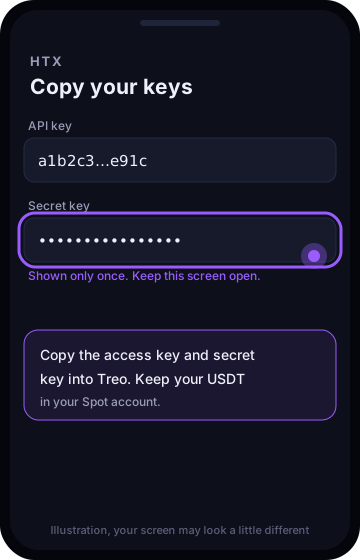
Step 1. Open API Management
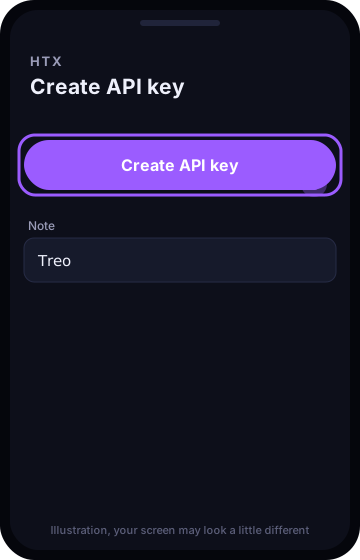
On HTX, open your profile menu and choose API Management, then Create API key.
Step 2. Name it and set the permissions
Name the key Treo.
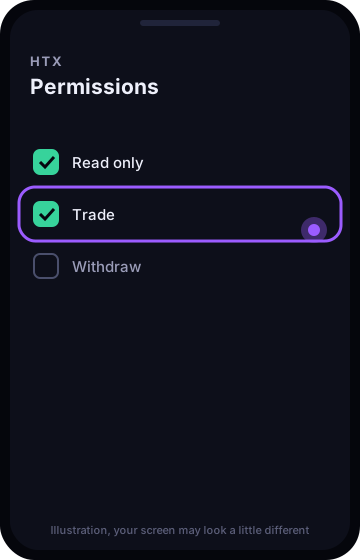
- Read only: on
- Trade: on
- Withdraw: off
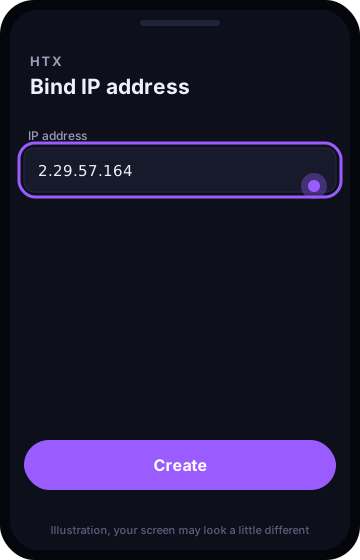
Step 3. Bind the IP address
Bind this IP address to the key: 2.29.57.164. Then confirm with your security codes.
Step 4. Paste it into Treo
HTX shows the Access Key and the Secret Key once. In Treo, pick HTX and paste both. Keep the USDT you want Treo to use in your Spot account.
Mistakes to avoid
- Ticking Withdraw. Treo will refuse the key.
- Skipping the IP address. Treo will refuse the key.
- Copying only the Access Key. Treo needs the Secret Key too.
Questions
Can I delete the key later?
Yes. Delete it under API Management on HTX and Treo loses access at once. Your coins stay where they are.
What fee does Treo count on HTX?
Treo reads your own HTX fee from your account and never counts less than HTX's standard rate, so a sale only happens when it is in profit after the fees you really pay.
Does Treo trade futures on HTX?
Not on HTX. The autopilot trades spot on HTX, so you own the coins it buys and there is no leverage. Trading futures yourself on the Trade screen is Binance only for now.
Put your trading on autopilot
Sign in, connect your account with a trade only key, and watch Treo work. Free to start, no card needed.
Start free with Google